Tap the court. Get your box score and shot chart.
A basketball stat app for programs from elementary school to high school and beyond. No stats staff needed.
I'm a coach and I built it. Charting is free, and your charts save to your device first.
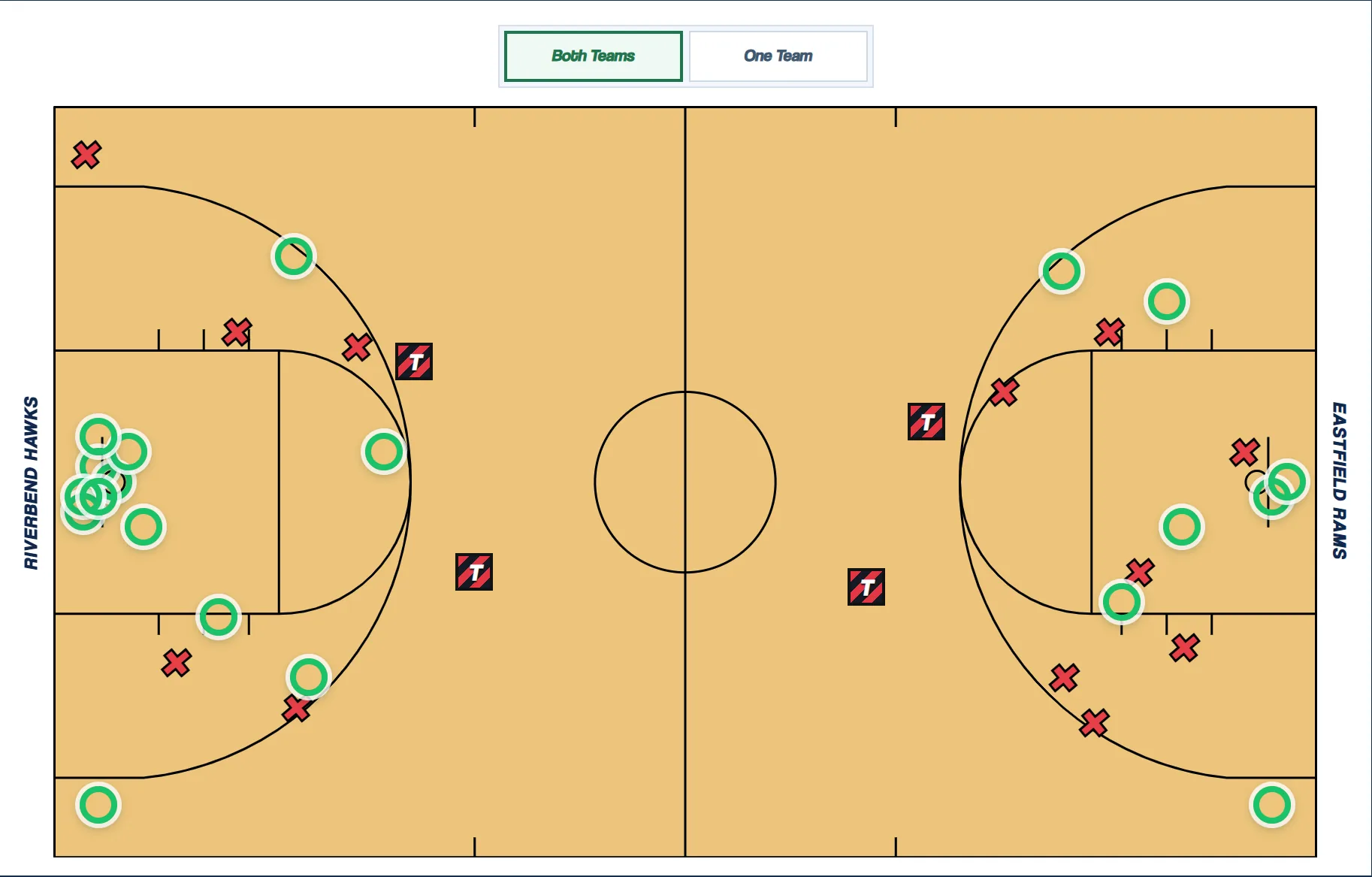
Tap the court.
Tap a spot on the court.
| PLAYER | PTS | REB | AST | TO |
|---|---|---|---|---|
| #2 Marcus Hale | 2 | 0 | 0 | 0 |
| #5 Jordan Pike | 0 | 0 | 1 | 1 |
| #11 Eli Brooks | 0 | 0 | 1 | 0 |
| #23 Dante Reyes | 3 | 0 | 0 | 0 |
| #34 Sam Okafor | 0 | 1 | 0 | 0 |
| TEAM | 5 | 1 | 2 | 1 |
- Turnover · #5 Jordan Pike · Live Ball TO
- Made 3 · #23 Dante Reyes · Off the dribble · Open · Assisted by #11 Eli Brooks
- Miss 3 · #11 Eli Brooks · Catch and Shoot · Semi Contested · Offensive Rebound #34 Sam Okafor
- Made 2 · #2 Marcus Hale · Layup · Open · Assisted by #5 Jordan Pike
PTS 5, REB 1, AST 2, TO 1
Keeping stats during a game is a mess
- You're coaching and counting at the same time, so something gets missed. By the fourth quarter you're guessing.
- A clipboard gives you makes and misses. Everything else is homework after the game, and nobody does it.
- The tools that go deeper take a long time to learn. That's a lot to ask of a volunteer.
Tap where it happened and the box score fills in.
Every shot goes where it happened.
You tap the spot and pick the player. Rebounds, assists, turnovers and fouls work the same way. Turn on rebound and assist location to see where misses go and where the ball came from.
Advanced stats, no extra typing.
Lineups, plus/minus, team fouls and bonus status, and stats you name yourself all come off the same taps.
Film and practice too.
Link a play to its clip, and the video pauses while you enter it. In practice, count passes or reads with a tap and compare a drill to last time.
How it works
Add your team.
Names and numbers. No account needed. Setup takes a coach 1 to 2 minutes.
Tap the court.
Tap where each play happens, then pick the player.
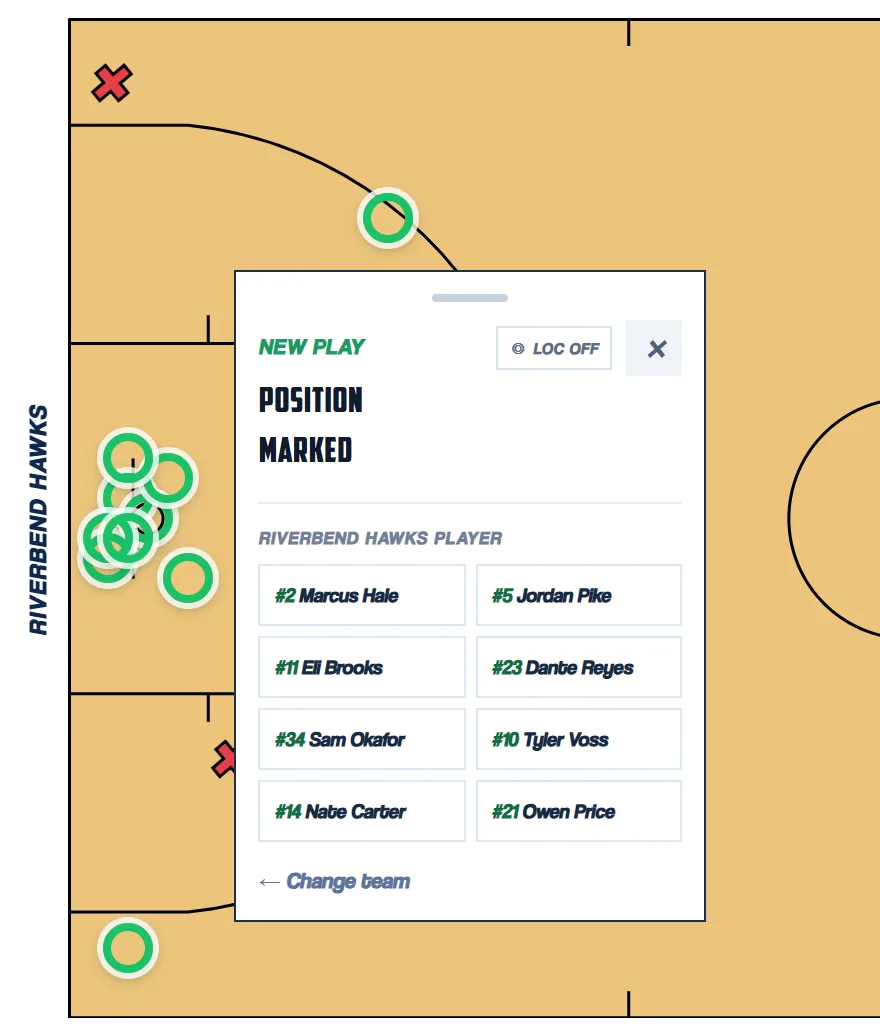
Tap a spot on the court.
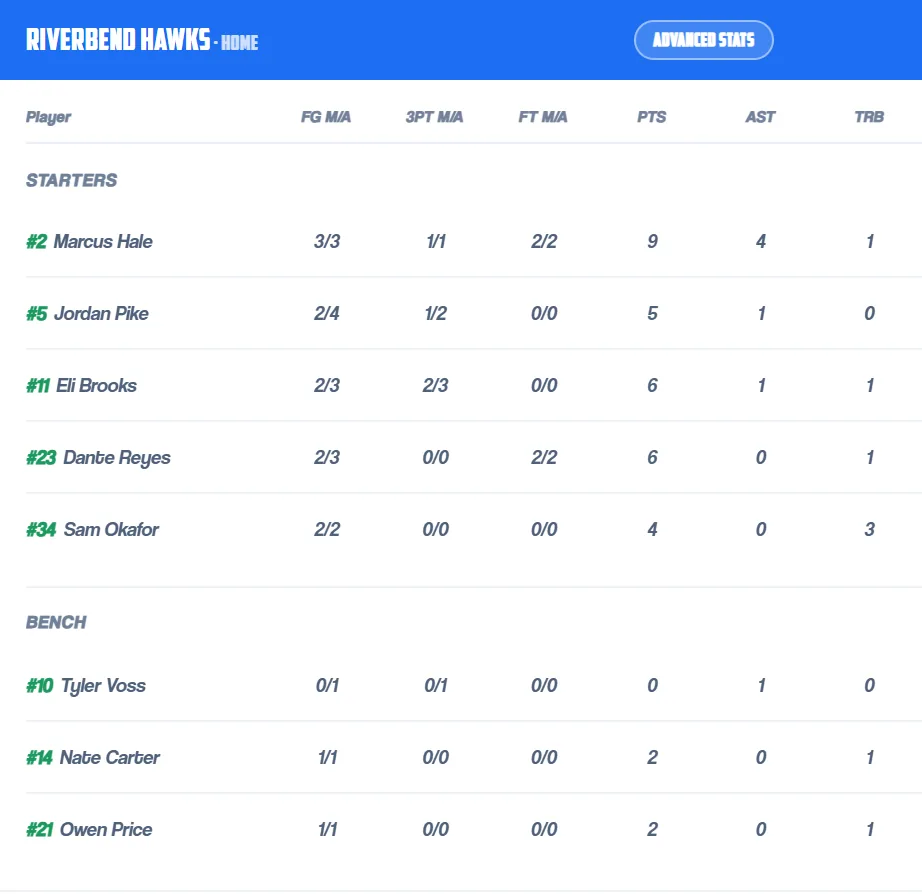
Riverbend Hawks PLAYER PTS REB AST TO #2 Marcus Hale 2 0 0 0 #5 Jordan Pike 0 0 1 1 #11 Eli Brooks 0 0 1 0 #23 Dante Reyes 3 0 0 0 #34 Sam Okafor 0 1 0 0 TEAM 5 1 2 1 PTS 5, REB 1, AST 2, TO 1
Look when you want.
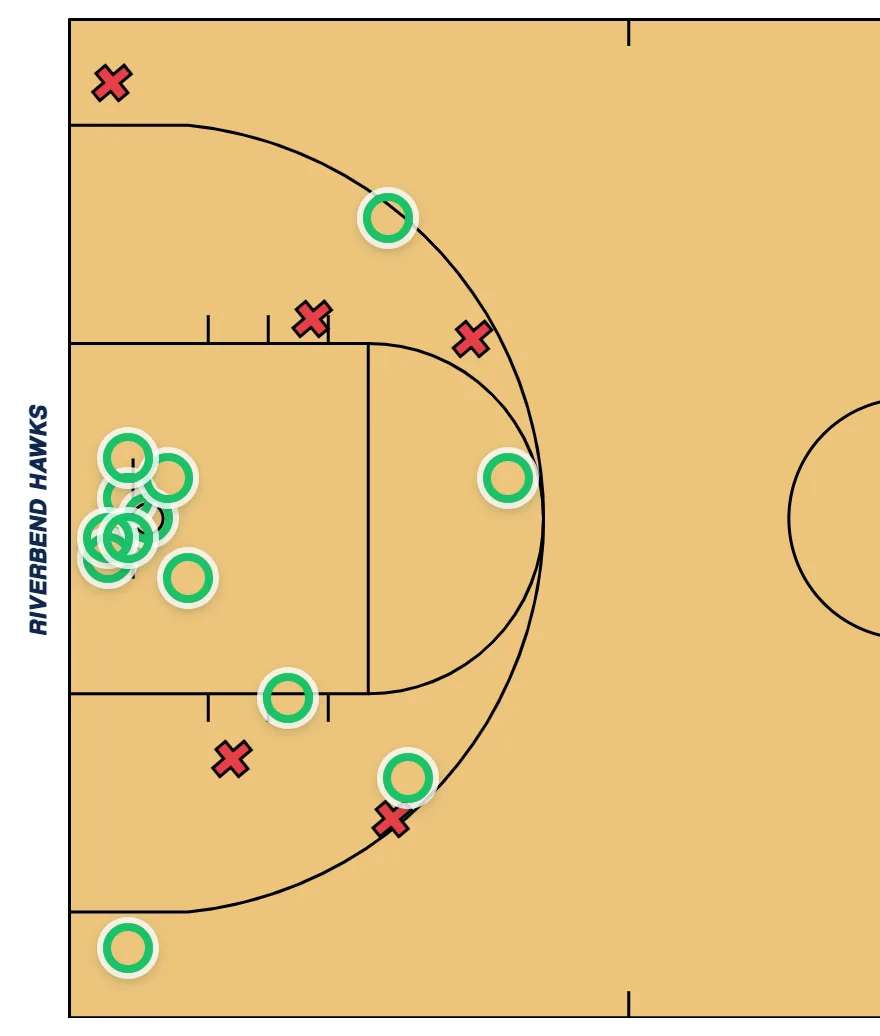
Check the numbers any time. The box score and shot chart update live, in the game or after.
Fix and share.
Fix a mistake from the game log. Export a PDF or the whole chart.
Built by a coach
I'm heading into my fifth year of coaching at Baldwin High School, where I am JV head coach as well as a Varsity and C team Assistant. I also coach for MoKan Elite Basketball where my 15u team competes at the Nike EYCL Circuit.
Keeping stats came down to the same problem every time. You tally makes and misses and that's all you get, or you use something built for a program with a stats staff and a budget, and it takes extra inputs and another person to get anywhere. Most tracking programs have made keeping stats overcomplicated.
So I built Your Film Room. You tap the court where the shot happened, pick the player, and keep going. It is built for programs from elementary school to high school and beyond, school teams and club teams alike.
Know Your Five.Where I'm taking it
Advanced stats for every level.
You shouldn't need a stats staff or a college budget to get them.
Fewer taps wins.
In a live game, if it's more power or fewer taps, I pick fewer taps.
Charting is free, always.
Every charting feature is free and stays free. Later, video and data storage, shared accounts and program accounts may cost money to run.
Built with coaches.
I ask working coaches what they need and build it.
Questions
Is it free?
Yes. Charting, box scores, shot charts and lineup stats are free and will stay that way. Later, video and data storage, shared accounts and program accounts may cost money.
Do I need an account?
No. You can chart a whole game without one. An account is for Cloud Backup and for cloud video.
Where does my data live?
On your phone or laptop first. It only goes to the cloud if you sign in and turn on Cloud Backup. The Privacy Policy explains what is stored, and you can delete your account from inside the app.
Does it work without internet?
The app needs a connection to open. Once it's open, your chart is saved on your device. Opening it with no signal is something I'm working on, so load it before you walk into the gym.
What if I tap the wrong thing?
Open the game log and fix it, or tap Undo. You don't start over.
Can I get my data out?
Yes. Export a PDF, a stats file, or the whole chart.
Chart your next game.
Free, no account, nothing to install. It runs in your browser.